Aubergine Solutions
Web Development
Project overview
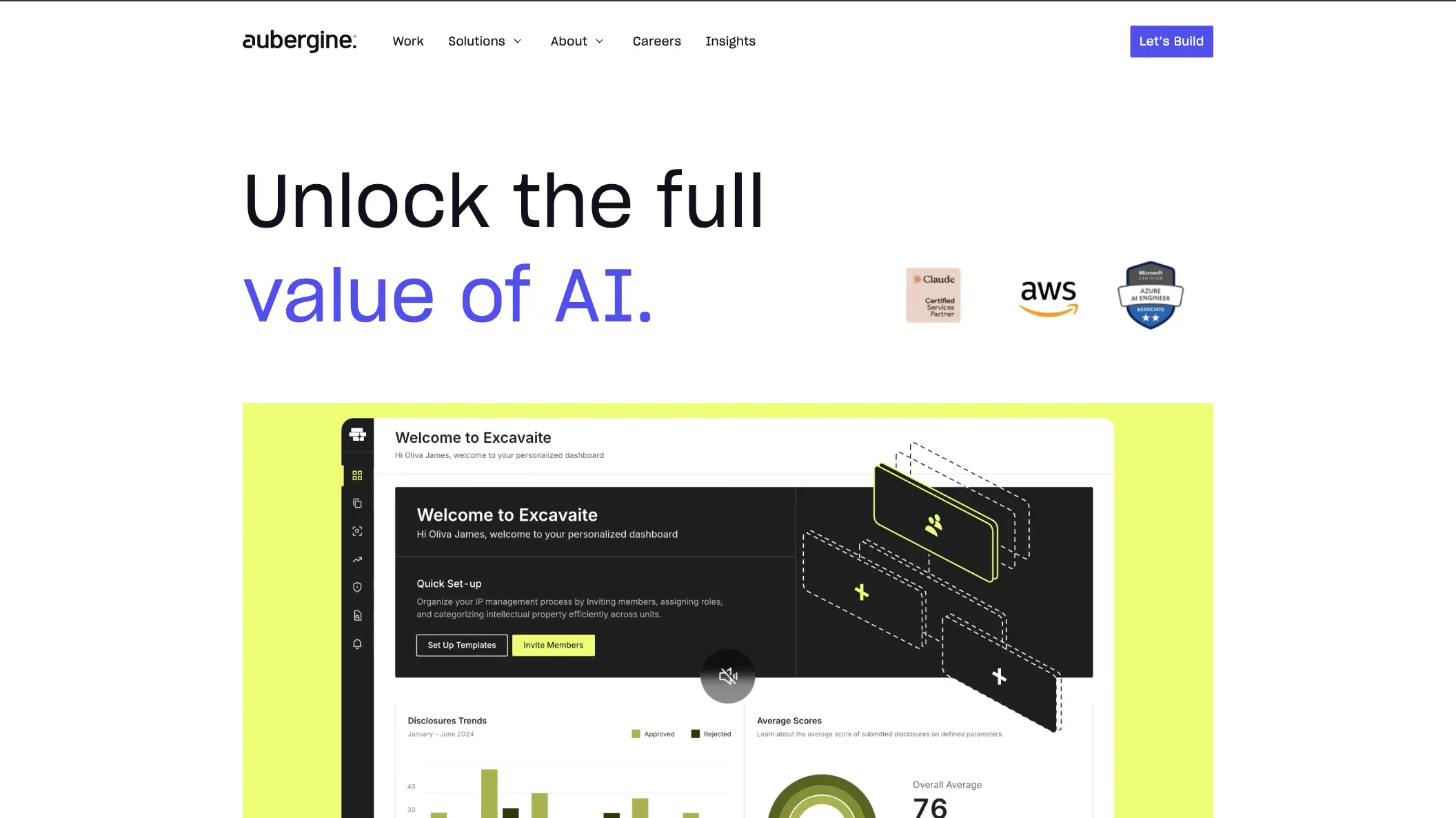
Aubergine Solutions is a design and technology company with offices in India, the USA and Singapore. It builds digital products, from UX and UI design to web, mobile and AI development, and is recognised as one of the top B2B companies on Clutch. For a company like this, the website is the shop window. It's where prospective clients judge the quality of the work, and where most new enquiries begin.
I joined on a website maintenance contract. Over 3 years and 4 months, my role grew into looking after Aubergine's entire web presence. I first improved the original site, built with Gatsby, and the WordPress blog that ran alongside it. Then I migrated both to a single Webflow site at aubergine.co, and kept growing it from there.
At a glance
Client: Aubergine Solutions, India · USA · Singapore
Industry: Digital Product Design, Development & AI
My role: Web Developer, from maintenance to leading the Webflow migration
Scope: Company website and blog: new pages, performance, SEO, deployments, the Webflow migration and the HubSpot integration
Timeline: 3 years 4 months
Tech stack: Gatsby, React, WordPress, AWS, GitLab CI/CD, Webflow, HubSpot, Figma
Impact
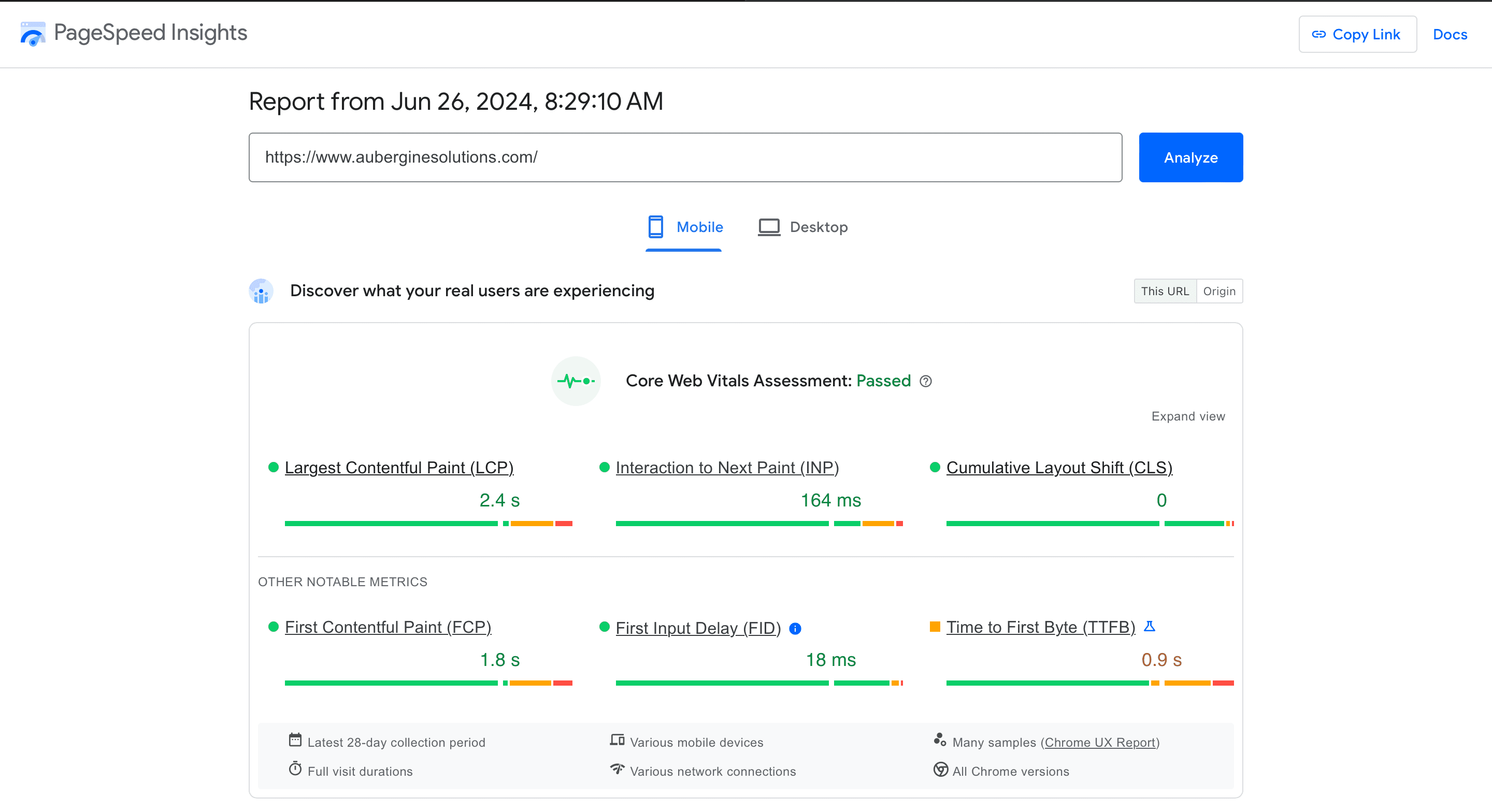
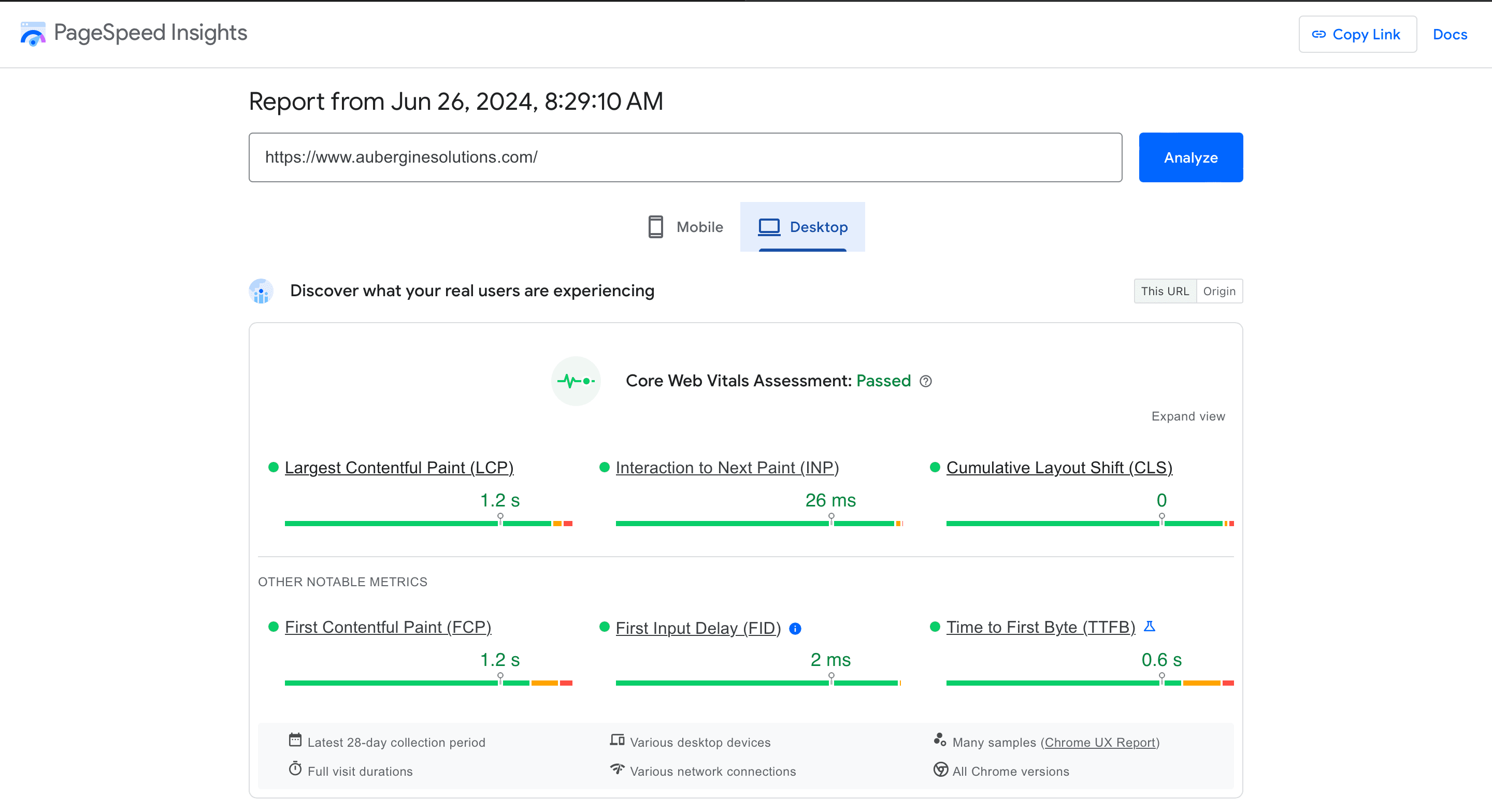
Core Web Vitals passed on both mobile and desktop, measured on real visitors
40+ new pages built from Figma designs on the original site
Releases cut from a manual, multi-step process to a single push
2 platforms, a Gatsby site and a WordPress blog, merged into 1 Webflow site
Every enquiry flowing straight into HubSpot
The problem
A company that sells great digital products needs a website that proves it
Aubergine's website had to do two jobs at once: show off the quality of the company's design and engineering, and turn visitors into enquiries. The setup behind it was making both jobs harder.

Two separate systems: The main site was built with Gatsby and the blog ran on WordPress, each on its own AWS EC2 server. Anything shared, such as the navigation, footer or logo, had to be changed in two places.
Slow, manual releases: Publishing an update meant running a build and upload by hand from a developer's computer, which was slow and easy to get wrong.
Performance gaps: Heavy CSS and JavaScript, oversized images and content that shifted while loading all hurt the experience, and Google takes these Core Web Vitals into account in search rankings.
SEO gaps: Some pages were missing canonical tags and share images, some had more than one main heading, and the staging site risked appearing in search results.
Dependent on developers: Every new landing page, job opening or campaign needed a developer, which slowed the marketing team down.
The approach
The site needed to be fast, findable and easy to change, without a pause in day-to-day updates. Four principles guided the work:
Fix the foundations first. Before adding anything new, make releases safe and repeatable, so every later change ships with confidence.
Measure what Google measures. Judge performance by real-visitor Core Web Vitals data, not just one-off lab scores.
Match the design exactly. Build every new page faithfully from the designers' Figma files, on every screen size.
Hand control back to the team. Aim for a setup where marketing can publish pages and articles without waiting for a developer.
What was built
From a single server to a global CDN, with one-push releases
My first change was where the site lived. The Gatsby site was a set of static pages, yet it was served from a single EC2 server. I moved it to AWS S3 behind CloudFront, a content delivery network (CDN) that keeps copies of the site in data centres around the world. Visitors now load pages from a location near them, which made the site noticeably faster everywhere.
Next, I set up a CI/CD pipeline, an automated build-and-release process, in GitLab. Merging a change into the main branch now builds the site, publishes it to AWS and clears the CDN cache, so visitors see the update within minutes. Changes on the development branch go to a separate staging site at the press of a button, so the team can review them first.
The live site also tells browsers to cache its files for a year, which makes repeat visits faster. The staging site is hidden from search engines so it never competes with the real one.
40+ new pages, built from Figma
On the original site alone, I built more than 40 new pages from the design team's Figma files. These included:
Six service pages: UI Design, UX Research, UX Audit, Design System, Accessibility Audit and AI Development
Seven job opening pages and a Work With Us page
26 campaign landing pages, built in A/B pairs so marketing could compare versions
I also added a country-code picker and proper phone number validation to the contact forms, so the sales team received cleaner, more reliable enquiries from every country.
Passing Core Web Vitals
Core Web Vitals are Google's measures of how a page feels to real visitors: how quickly the main content appears, how fast the page responds to a tap or click, and how much the layout jumps around while loading. Passing them is good for visitors and for search rankings.
On the Gatsby site, I split the code so each page only loads what it needs, and removed unused libraries. I also stripped unused CSS and moved styles into separate files that browsers can cache. On the WordPress blog, I minified the CSS and JavaScript, served images at the right size for each screen, dropped an unused copy of jQuery and an unneeded font weight, and fixed elements that shifted while the page loaded.
The result: the site passed the Core Web Vitals assessment on both mobile and desktop, based on 28 days of data from real Chrome users. On desktop, the main content appeared in 1.2 seconds, the page responded to interactions in 26 milliseconds, and the layout didn't shift at all.
SEO improvements search engines notice
I worked through the SEO recommendations one by one:
Canonical tags on every page, so search engines know which address to rank
Share images for every page, so links look right on social media and in messaging apps
One main heading per page
A favicon that shows correctly in Google results
Moving the blog onto the main www domain, so its articles strengthen the main site
I also improved accessibility scores on the blog, and added support for articles with more than one author.
Moving everything to Webflow
With the old site fast and stable, the next step was to make it easy to run. I migrated the Gatsby site and the WordPress blog into one Webflow site at aubergine.co, where the blog became the Insights section. Now the marketing team can edit pages and publish articles themselves, with no build or deployment step.
To protect the search rankings the old site had built up, the old domain and blog addresses now permanently redirect to their new homes. That means existing links and search results still lead visitors to the right page.
Growing the new site
After the migration, I kept the same responsibilities on Webflow. I built new pages, kept the site passing Core Web Vitals, and connected it to HubSpot. Website forms now send enquiries straight into HubSpot along with the visitor's browsing history on the site, so the sales team knows what each lead was interested in before they reply.
Under the hood
For technical readers, a summary of how it fits together:
Original site: Gatsby (React) with Sass and Bootstrap, Formik and Yup forms, reCAPTCHA v3 and Google Tag Manager
Blog: WordPress with a custom PHP theme, hosted on AWS EC2
Delivery: Moved from a single EC2 server to AWS S3 and CloudFront, with long-lived cache headers on the live site
CI/CD: GitLab CI with separate staging and live pipelines, and automatic CDN cache invalidation
Performance: Code splitting, PurgeCSS, external stylesheets, minified CSS and JavaScript, and responsive images
SEO: Canonical URLs, Open Graph images, a single H1 per page, and noindex on staging
Forms: Country-code picker with google-libphonenumber validation
New site: Webflow CMS with HubSpot forms and tracking, and permanent redirects from the old domain
Results
What started as a maintenance contract became 3 years and 4 months of looking after Aubergine's whole web presence. I took the site from two hand-deployed platforms to one fast, search-friendly Webflow site that the team can run themselves.
Core Web Vitals passed. The site passed on both mobile and desktop, based on real-visitor data, with zero layout shift.
Faster everywhere, released in one push. The site moved from a single server to a global CDN, and automated staging and live pipelines replaced manual uploads.
One platform instead of two. The site and blog now live together in Webflow, and marketing publishes without waiting on developers.
Search value kept. Permanent redirects carried the old domain's links and rankings over to aubergine.co.
Leads straight into HubSpot. Every enquiry arrives with context the sales team can act on.
Have a project like this?
Let's talk ↓